Essential Physics Icons for Visual Communication
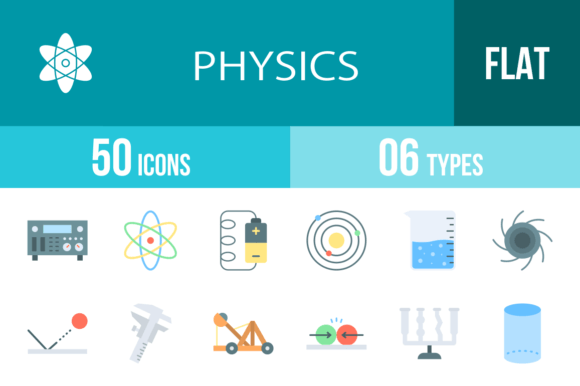
When you are building a mobile application, designing a website, or putting together a presentation deck, the visual assets you choose define the user experience. Stock photography can be heavy and generic, and custom illustration is often expensive and time-consuming. This is where a comprehensive icon set like the 50 Physics Flat Multicolor Icons becomes an indispensable part of your design toolkit. It bridges the gap between complex scientific concepts and intuitive user interfaces, offering a ready-made solution for a wide variety of creative challenges.
Why Flat Design and Color Psychology Matter
The "flat design" aesthetic isn't just a passing trend; it is a standard for modern web design and UI/UX because of its efficiency. These physics icons utilize a flat style, meaning they avoid heavy gradients, drop shadows, and complex textures. This results in clean, crisp lines that render perfectly on high-resolution retina screens and mobile devices alike. For a designer, this is crucial. You want assets that load quickly and look sharp, whether they are scaled down for a mobile app navigation bar or scaled up for a large format print presentation.
Furthermore, the multicolor aspect of this set adds a layer of psychological depth to your projects. Physics can often feel abstract or intimidating to a lay audience. By using vibrant, distinct colors for different concepts—like a red Atom, a blue Gravity well, or a yellow Lightning bolt—you make the content approachable and engaging. This visual hierarchy helps guide the user's eye naturally. It allows you to categorize information visually without needing to add extra text, which is a massive win for readability and clean layout design.
Unmatched Versatility: The Unigrid System
One of the standout technical features of this collection is that it is designed using a unigrid system. To the casual observer, this means the icons look "balanced." To a professional designer, it means pixel-perfect consistency. When you line up the Gears icon next to the Orbit icon, their visual weight and footprint match. This consistency is vital for brand identity. If you are creating a suite of educational apps or a series of scientific infographics, you cannot have icons that feel disjointed. The unigrid ensures that your design assets speak the same visual language.
The practical application of this set extends far beyond just buttons on a screen. Because the files are 100% vector and come in six different formats—including AI, EPS, and SVG—they are fully editable. You can change the colors to match a specific client's brand palette in Adobe Illustrator or CorelDRAW in seconds. This flexibility makes them ideal for packaging design, where you might need a specific shade of teal to match a product box, or for social media graphics where you need high-contrast colors to stop the scroll.
Practical Applications for Creators and Businesses
Let’s look at how these assets solve real-world problems. If you are a publisher working on a textbook or an e-learning platform, you need accurate representations of scientific equipment. You don't want to waste time illustrating a Voltmeter or a Micrometer from scratch. This set provides them immediately.
For entrepreneurs and marketers in the tech or energy sectors, these icons serve as powerful communication tools. A startup dealing with sustainable energy can use the Battery, Power, and Nuclear icons to explain their business model on a pitch deck or a landing page without relying on stock photos of solar panels that everyone else is using. It gives the brand a unique, technical, yet approachable personality.
Here are a few specific scenarios where this icon set shines:
- Mobile App UI: Use the 16x16 or 24x24 PNG sizes for tab bars and list indicators. The Waves icon is perfect for a "Radio" or "Signal" feature, while the Thermometer (Temperature) works for weather or health apps.
- Web Design: SVG formats are essential here. They are lightweight and scale infinitely. Use the Magnet icon for a "Pull to refresh" feature or the Motion icon for loading states.
- Print and Editorial: For magazines or brochures, the high-resolution JPG and PNG files ensure the Beaker or Flask icons look professional in print quality.
- Presentations: Break up text-heavy slides. A slide discussing "Market Forces" becomes instantly more digestible with a large Force or Collision icon.
Technical Specs: Formats and Sizing
Understanding the technical specifications of your design assets is just as important as the visual appeal. This collection is built for professional workflows. The inclusion of AI and CDR formats means it integrates seamlessly with the industry-standard vector software: Adobe Illustrator and CorelDRAW. The EPS format ensures compatibility with almost any other vector editor, including Sketch, Figma, and Affinity Designer.
The SVG (Scalable Vector Graphics) format is particularly important for modern web development. It allows developers to manipulate the icons via code, changing colors on hover states or animating the icons using CSS or JavaScript. Imagine the Gyroscope spinning on a loading screen or the Pendulum swinging to indicate a process is active—this is only possible with high-quality vector assets.
The 20 different PNG sizes included in the pack demonstrate a deep understanding of the current multi-device landscape. We aren't just talking about small, medium, and large. You have granular control, ranging from 16x16 pixels—perfect for tiny favicons or text-adjacent inline icons—all the way up to 1024x1024 pixels and beyond. This is critical for iOS and Android app development, where icons must be submitted at specific dimensions for the App Store and Google Play Store listings.
Enhancing User Experience Through Visual Cues
In UI/UX design, affordance is key. Users need to know what an element does before they click it. Text labels are helpful, but icons provide instant recognition. The 50 Physics Flat Multicolor Icons are designed for maximum usability. They avoid overly complex details that get lost at small sizes. For example, the Black Hole icon doesn't try to render realistic accretion disks; it uses a stylized, high-contrast representation that is recognizable even at 29x29 pixels.
This set also covers a surprisingly broad range of metaphors. You don't have to be building a physics simulator to use them. The Gears icon is universally understood as "Settings" or "Mechanics." The Lightning or Energy icon implies "Speed" or "Power." The Telescope (or Orbit) suggests "Vision" or "Future." By leveraging these visual metaphors, you can create a more intuitive interface for your users, reducing the learning curve of your software or website.
Integration into Professional Workflows
For the creative professional, time is money. Spending hours hunting for the right icon or trying to sketch one yourself is inefficient. Having a pre-made, cohesive set of 50 icons ready to drag-and-drop into your project streamlines the design process significantly.
When evaluating if this set fits your project, consider the visual hierarchy of your current design. The "flat" nature of these icons means they will sit comfortably in the background or stand out in the foreground depending on how you size them. They pair well with sans serif fonts, which share a similar clean, modern aesthetic. If your brand identity relies on a modern typography style, these icons will complement your headline and body text perfectly.
Don't overlook the commercial licensing aspect. When you purchase premium design assets, you are often paying for the peace of mind that you can use them in commercial projects—whether it's a client's website, a sold mobile app, or merchandise. Always review the specific license, but having a professional set ensures you aren't infringing on copyright, which is a risk when using random images found via search engines.
Final Thoughts on Utility
The 50 Physics Flat Multicolor Icons are more than just pictures of science equipment; they are a versatile communication tool. They serve the educator simplifying complex topics, the marketer explaining a tech product, and the designer polishing a user interface. By combining a robust technical foundation (vectors, multiple formats) with a thoughtful visual design (flat, multicolor, unigrid), this collection offers immediate value to anyone looking to enhance their digital or print projects with high-quality, professional imagery.