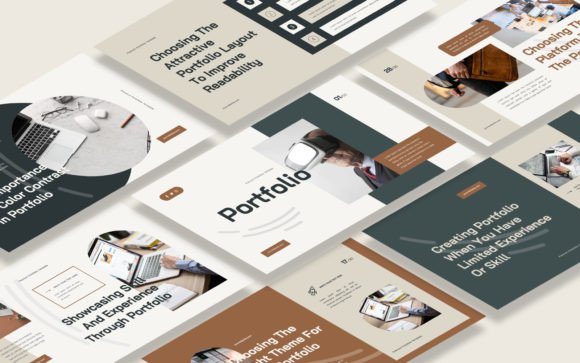
Portfolio Google Slides Template: Showcase Your Creative Work
More Than Just Slides: A Framework for Your Professional Narrative
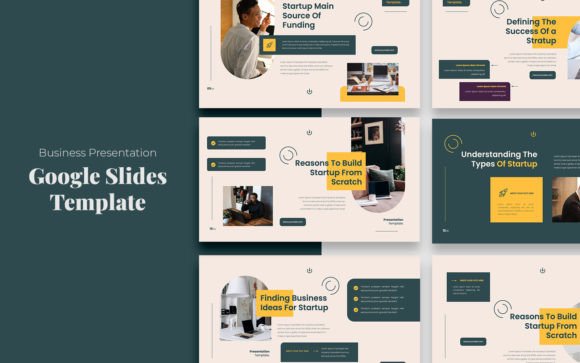
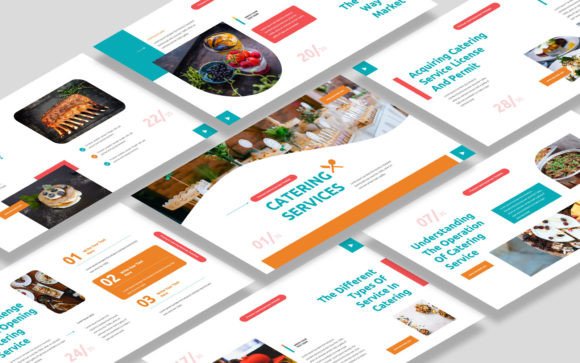
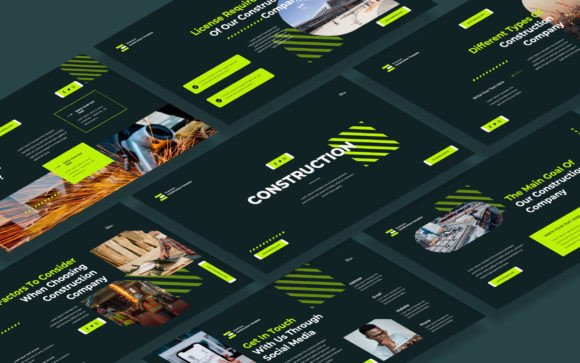
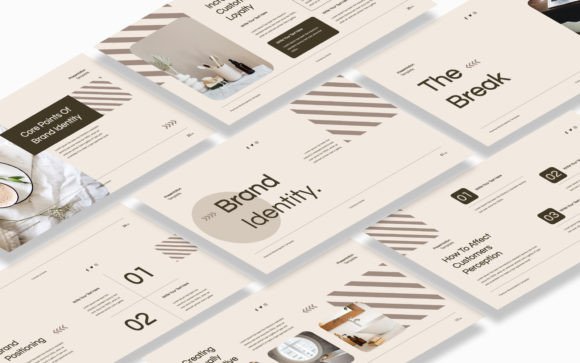
When you need to present your work, a generic slide deck won't cut it. You're not just sharing information; you're telling the story of your skills, your process, and your unique vision. This is where a thoughtfully designed tool like the Portfolio Google Slides Template becomes invaluable. It’s not merely a collection of 30 slides; it's a curated environment built to frame your projects with elegance and clarity. The template’s visual personality strikes a balance between modern minimalism and sophisticated detail. Clean lines, ample white space, and a recommended set of free web fonts create a contemporary feel, while carefully considered layouts ensure your work remains the undisputed star. The 16:9 widescreen ratio provides a cinematic canvas, making every photograph, mockup, or case study feel immersive and intentional.
The real power of this premium font presentation kit lies in its adaptability. Its style is deliberately versatile—it can feel corporate and professional for a business pitch, yet equally at home for a freelance artist’s gallery or a photographer’s client review. The overall appeal is one of polished confidence. It doesn’t shout for attention with flashy gimmicks; instead, it commands respect through structured elegance, allowing the quality of your content to build the narrative. This approach directly influences how your audience perceives your brand identity. Using a cohesive, well-designed template like this signals professionalism, attention to detail, and a serious commitment to your craft before you even speak a word.
Practical Applications Across Creative and Professional Fields
Understanding where this template excels helps you leverage its strengths. For graphic designers and brand strategists, it’s an ideal vessel for presenting full logo design systems, brand guidelines, or packaging design projects. The picture placeholders allow you to showcase mockups in context, turning a simple logo into a living brand application. Web designers and UI/UX professionals can use the slides to walk through site maps, wireframes, and final high-fidelity designs, using the template’s visual hierarchy to guide the client’s eye through the user journey.
For marketers, content creators, and bloggers, the template transforms into a powerful tool for campaign post-mortems, media kits, or partnership proposals. You can effectively showcase social media graphics series, engagement metrics, and content calendars in a format that’s both data-rich and visually digestible. Photographers and artists will find its layout perfect for creating a digital gallery or a project proposal, where each image is given its own moment to breathe. Even for small business owners and entrepreneurs, it serves as a compelling pitch deck for investors or a detailed service portfolio for potential clients, effectively communicating capability and vision.
Maximizing Impact: Design Principles in Action
Using this template effectively is about more than just dragging and dropping your images. It’s an exercise in applied modern typography and editorial design. The included free web fonts are selected for their readability and contemporary aesthetic, providing a solid foundation. However, the template’s real strength is how it encourages you to think about font pairing and content rhythm. You can pair the clean sans serif font for body text with a complementary serif font for headings to create a dynamic yet harmonious visual hierarchy. This isn't just about looks; it guides your audience through your content, making complex information more approachable and engaging.
The practical guidance for choosing this tool starts with evaluating your project’s needs. Does your work require a formal, structured presentation or a more fluid, narrative flow? The 30-slide structure of the Portfolio Google Slides Template provides ample room for both. A key step is testing your content within its framework. Before finalizing, mock up a few critical slides with your actual images and text. Check the readability of your captions against the background colors. Ensure your key visuals have enough breathing room within the picture placeholder areas. This testing phase is crucial for ensuring the template enhances, rather than constrains, your message.
Key Considerations for Seamless Integration
- Brand Consistency: Use the template’s color themes to align with your existing brand palette. This reinforces brand perception and professionalism across all touchpoints.
- Content Strategy: Plan your slide sequence like a story. Start with a strong introduction, build through your best projects with clear context, and end with a clear call to action or contact information.
- Asset Preparation: Gather your highest-resolution images and concise project descriptions beforehand. The template’s editable nature makes it easy to adapt, but starting with organized assets streamlines the process.
- Licensing Clarity: While the template itself is licensed for your use, always ensure the images you place within it are properly licensed for your intended purpose, especially for commercial projects.
Ultimately, a tool like the Portfolio Google Slides Template is a design asset that does more than organize content—it shapes perception. It provides the consistent, professional framework that allows your creative work to communicate its value instantly. By focusing on clean design, flexible structure, and thoughtful presentation, you set your ideas in motion and create a lasting impression that can genuinely open new doors of opportunity. It’s about elevating your presentation from a simple display to a compelling professional dialogue.