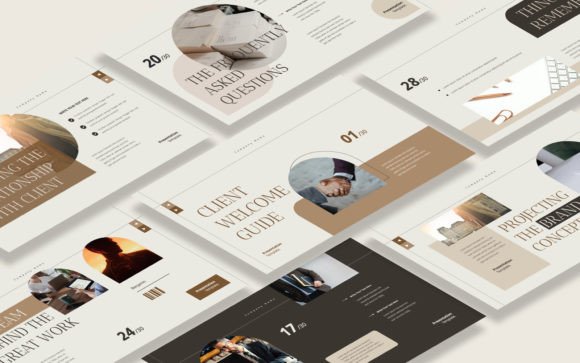
Client Welcome Guide Keynote Template: Your First Impression
Setting the Stage for Client Success
That initial moment after a client signs on is critical. It sets the tone for the entire relationship. A generic email with a list of next steps often feels cold and transactional. What if you could replace that with a polished, professional, and warm introduction that immediately builds confidence? That's precisely the role a dedicated Client Welcome Guide Keynote Template plays. It’s not just a set of slides; it's a strategic design asset that transforms your onboarding process from a simple checklist into an engaging brand experience.
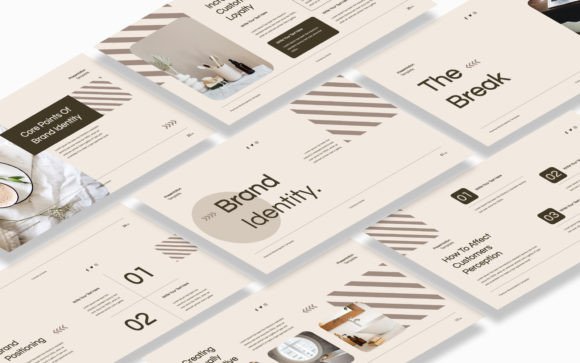
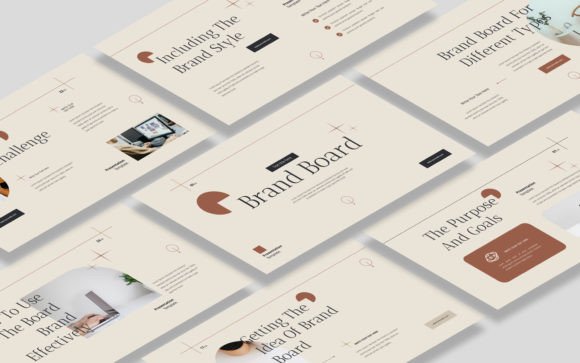
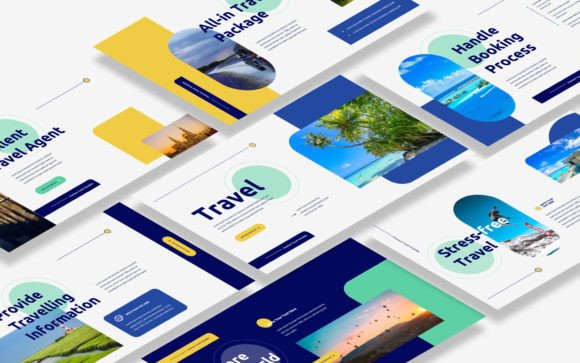
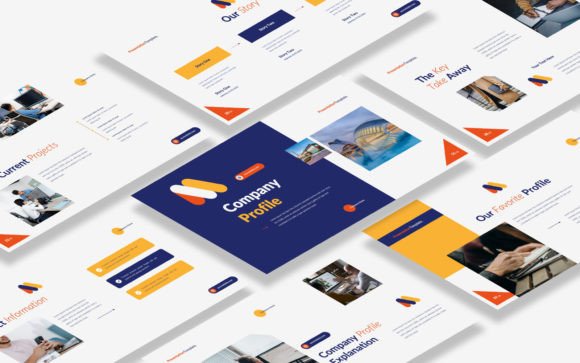
This particular template is crafted with a modern, clean aesthetic. It balances professionalism with a welcoming warmth, using ample white space, elegant typography, and a cohesive color palette that you can easily adapt to your own brand identity. The visual personality is approachable yet authoritative—perfect for consultants, creative agencies, and service-based businesses that want to project competence and care from day one. The 16:9 widescreen format feels contemporary and suits both virtual meetings and in-person presentations.
Practical Magic: What's Inside the Template?
Forget starting from a blank slide. The Client Welcome Guide Keynote Template is a comprehensive toolkit designed for real-world use. With 30 thoughtfully structured slides, it covers every essential aspect of client onboarding. You’ll find dedicated sections for introducing your team, outlining your process, setting clear expectations, defining communication protocols, and presenting your terms. The layout uses strong visual hierarchy, guiding your client’s eye to the most important information without overwhelming them.
The true power lies in its flexibility and ease of use. Built on Master Slides, making global changes to fonts, colors, or logos is a one-click affair. Every graphic, icon, and element is fully resizable and editable, so you can tailor every detail. The inclusion of picture placeholders means you can simply drag and drop your own team photos or project examples, instantly personalizing the guide. The recommended free web fonts ensure your presentation looks sharp on any device without additional cost or licensing headaches.
Why a Visual Guide Outperforms a PDF
A static PDF welcome packet has its place, but a dynamic Keynote presentation leverages the principles of modern typography and visual storytelling to greater effect. The structured slide format naturally creates a logical flow, breaking down complex information into digestible segments. This improves readability and retention. Think of it as editorial design for your business process—each slide is a page in a mini-magazine dedicated to your partnership.
The impact on brand perception is immediate. A consistent, well-designed guide using this template reinforces your professionalism and attention to detail. It signals that you value the client relationship enough to invest in a smooth, branded experience. This consistency across touchpoints—from your website to your proposal to this welcome guide—strengthens your overall brand identity and makes your business more memorable.
Applications Beyond the Welcome
While its primary function is client onboarding, the versatility of this Keynote template extends much further. Its clean, structured layout is ideal for creating internal process documents, project kickoff presentations, or even detailed service menus. Marketers can adapt it for pitching new campaign strategies to clients, using the same polished framework to outline goals, timelines, and deliverables.
For freelancers and small business owners, it can be repurposed into a powerful portfolio piece. Showcase a past project by replacing the onboarding content with case study slides, client testimonials, and results. The template’s professional design ensures your work is presented in the best possible light, helping you win new business. It’s a multi-purpose design asset that grows with your needs.
Tailoring the Template to Your Brand
Getting started is straightforward. Begin by importing your brand’s color palette into the Master Slides. Swap the placeholder text with your own company voice and specific details. The editable icons are perfect for visually representing your core services or values. Don’t just fill in the blanks; use this as a framework to tell your unique story. Explain not just what you do, but how and why you do it.
Consider your audience. If you work with corporate clients, maintain the template’s crisp, minimalist style. If your brand is more creative and playful, you might introduce a handwritten font accent for headings or use more vibrant imagery in the placeholders. The key is to use the template’s solid structure as a foundation upon which to build a guide that feels authentically yours. This thoughtful customization is what elevates a good template into a great client experience.
Final Thoughts on a Seamless Partnership
A successful client relationship is built on clear communication, mutual respect, and aligned expectations. The Client Welcome Guide Keynote Template is a practical tool designed to foster all three from the very first interaction. It saves you hours of design work while providing a level of polish that builds instant credibility. By presenting your information in a visually engaging and logically organized manner, you reduce client anxiety and set the stage for a collaborative, productive partnership.
In a competitive landscape, the details matter. Investing in a resource like this guide is an investment in your client’s satisfaction and your own operational efficiency. It’s a clear signal that you’re a professional who plans, communicates, and executes with care. Download the template, make it your own, and get ready to welcome your next client in a way that truly stands out.